
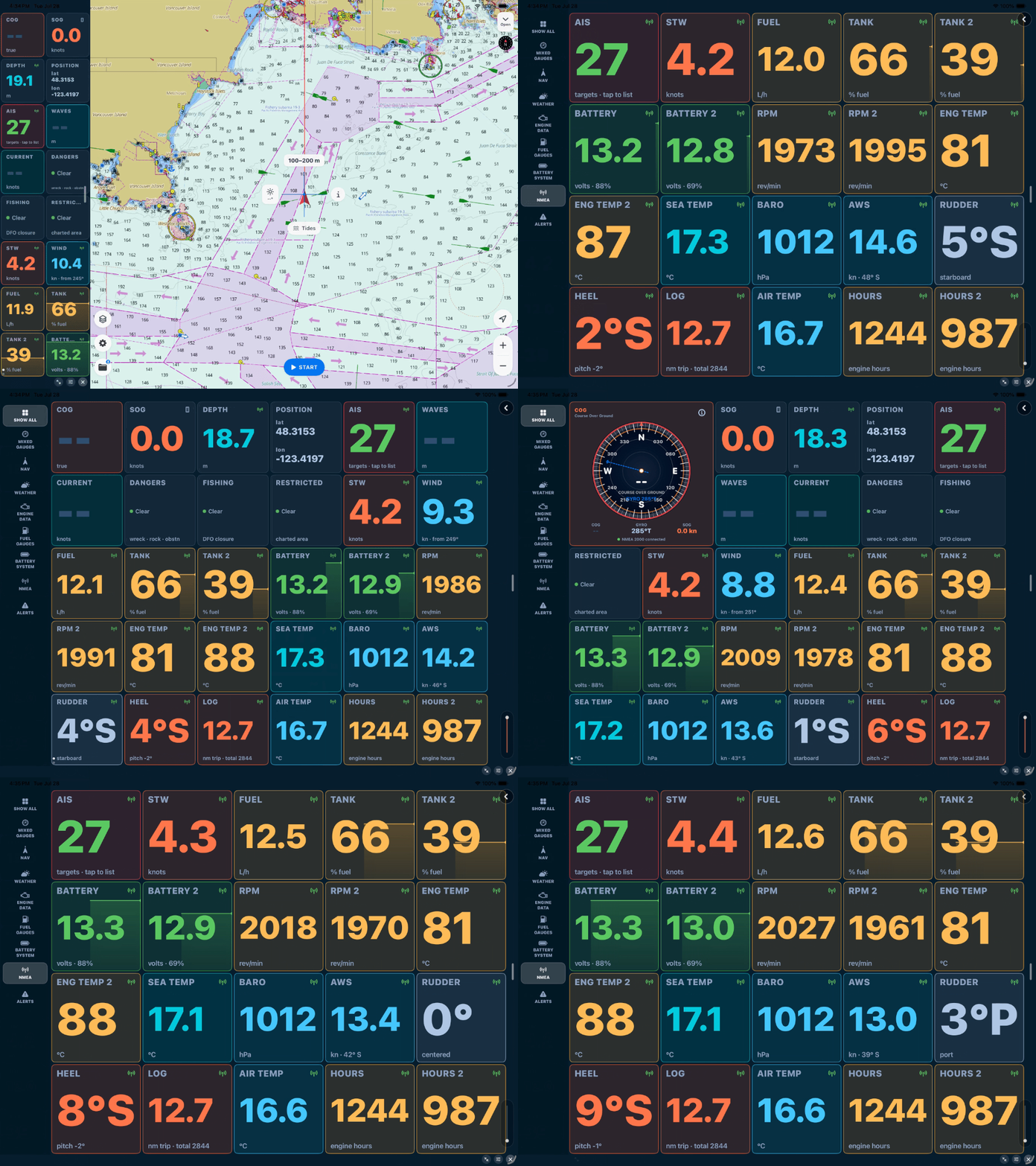
Until now, SeaVectors showed you an outstanding chart and your GPS position on it. That's the heart of navigation — but your boat knows a great deal more about itself, and most of it was stuck on the instruments that measure it. Not anymore.
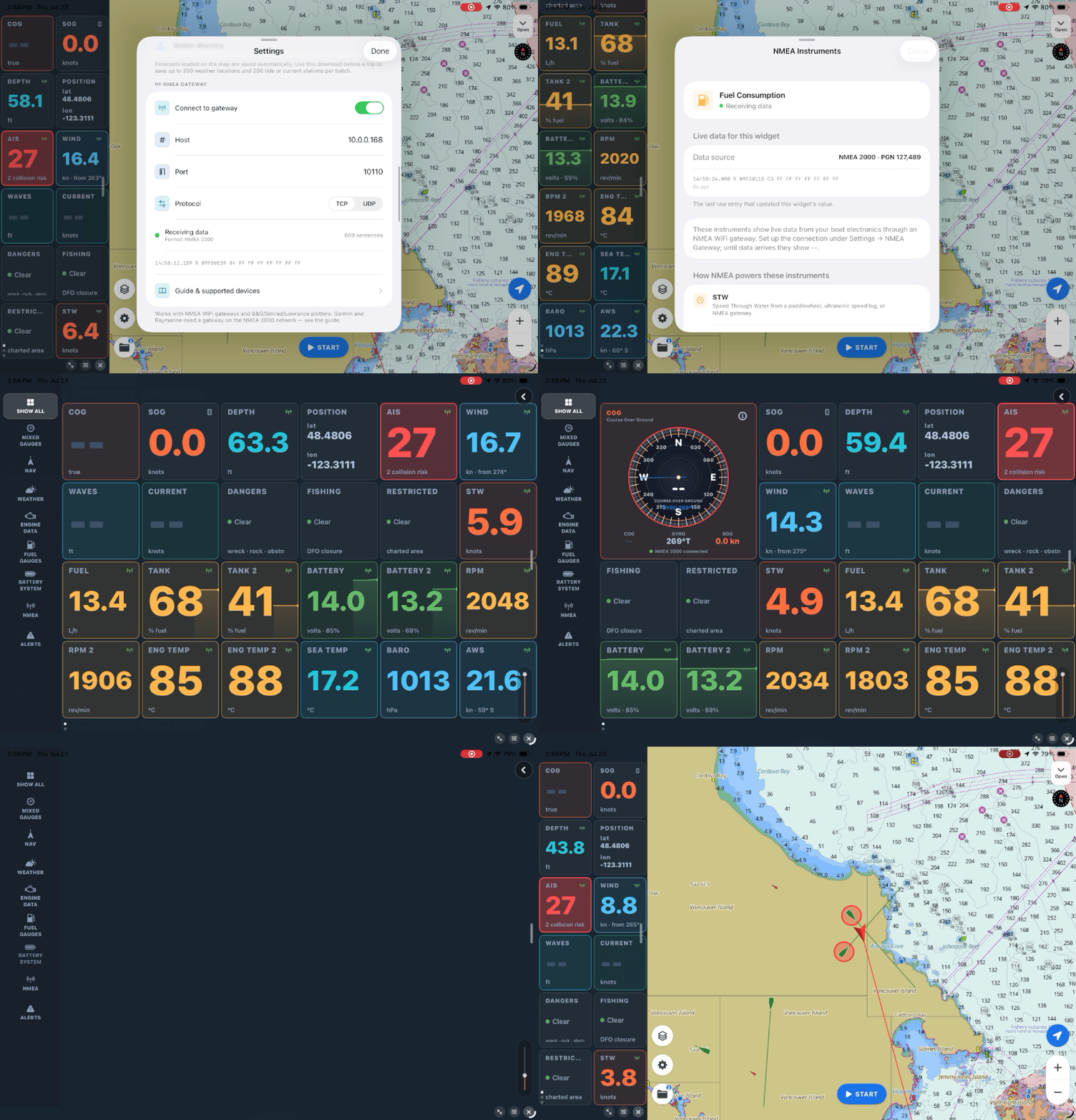
SeaVectors now connects directly to your boat's instrument network over WiFi, reading both NMEA 0183 and NMEA 2000. The moment a source connects, your speed, depth, wind, heading, position, RPM, and fuel light up the instrument panel — real data from your own sensors, laid over your official ENC chart.
If your boat shares NMEA data over WiFi, try SeaVectors with your own instruments. The 30-day free trial includes the complete experience, so you can confirm your gateway, sensors, and dashboards work together before deciding whether to subscribe.
- Download SeaVectors on the App Store
- Get SeaVectors on Google Play
- Not ready to install? Open the lightweight web chart for a quick preview.
What's new
Connect a WiFi gateway — or an AIS transponder or Navico plotter that serves NMEA over WiFi — and SeaVectors listens in. It auto‑detects whether the stream is 0183, 2000, or both, and starts filling your gauges. Because NMEA 2000 carries instance information, SeaVectors is instance‑aware: two engines each get their own gauge, house and starter batteries read separately, and every tank shows its own level, complete with a recent trace.
It reads the whole picture — navigation, depth and speed, true and apparent wind, water and air temperature, barometric pressure with trend, the full engine and electrical set, and AIS traffic for collision awareness. Everything stays on the boat's local network; there's no cloud and no internet required, so it works just as well offshore as at the dock.
How the connection works
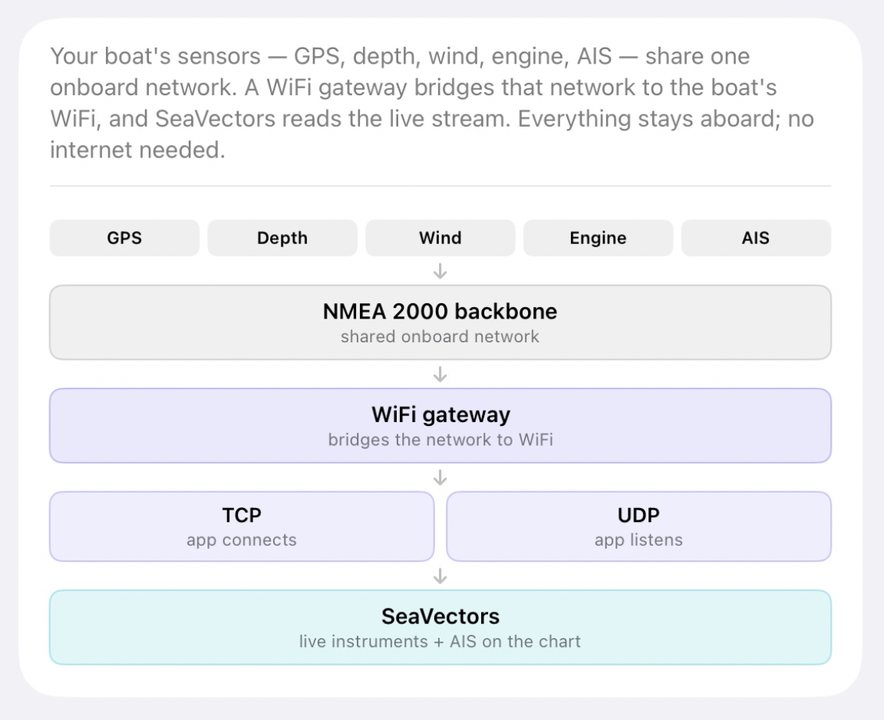
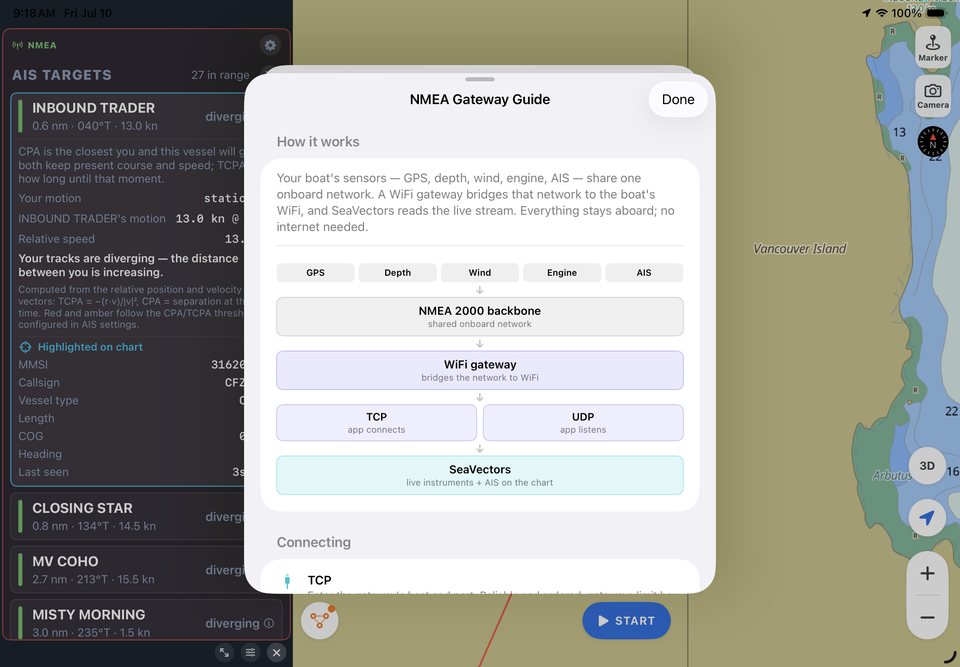
Your sensors feed an onboard NMEA network. A WiFi gateway bridges that network to your phone or tablet, and SeaVectors reads the stream over TCP or UDP. Everything stays on the boat, so live instruments continue to work without an internet connection.
- TCP — enter the gateway host and port for a reliable, ordered connection.
- UDP — listen on the gateway port without entering a host. On iPhone and iPad, use TCP or unicast UDP when broadcast UDP is unavailable.
- Automatic formats — SeaVectors detects NMEA 0183 and supported raw NMEA 2000 streams, including Yacht Devices RAW,
$PCDIN, and$MXPGN. - Common ports — 10110 for many Navico and ShipModul systems, 2000 for Digital Yacht, 1456 for Yacht Devices, and 39150 for Vesper.
Dedicated gateways provide the broadest compatibility. Supported Navico chartplotters and selected WiFi AIS transponders can also share data directly; Garmin, Raymarine, Furuno, and Humminbird plotters generally require a separate NMEA WiFi gateway.
NMEA setup resources
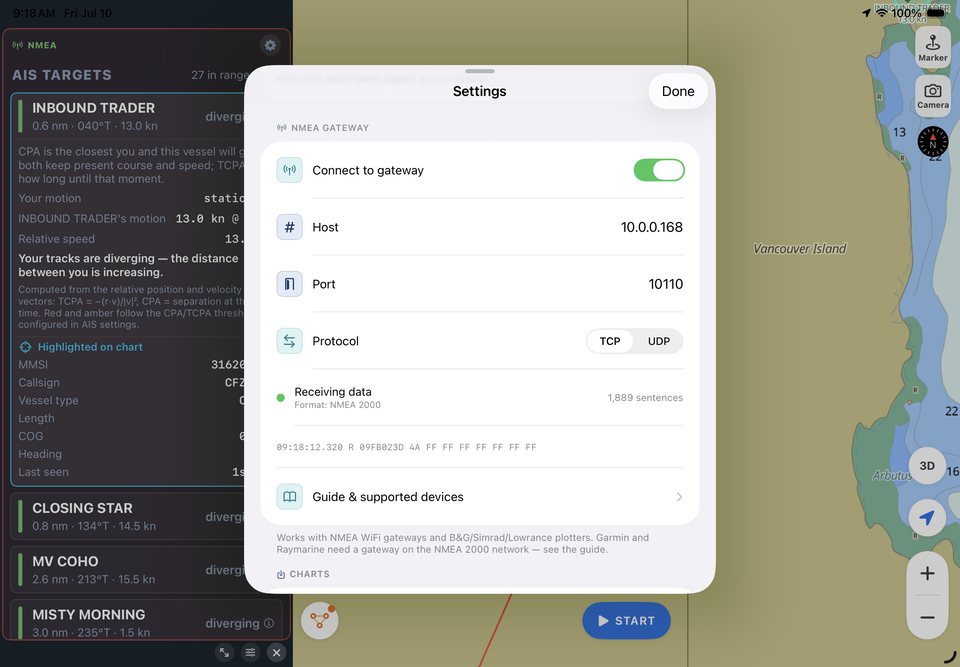
Connect with the right settings
Use the setup guide for connection steps, then confirm your gateway, plotter, or AIS device in the compatibility reference.
Why you'll like it
This is the upgrade that turns SeaVectors from a chart into a navigation station. One screen, your data, arranged the way you read it — with each gauge showing its source so you always know what you're looking at. If you've ever wanted your depth, wind, and engine data on the same display as your chart without a five‑figure refit, this is it.
How to get it
Update to the latest SeaVectors from the App Store. Then open Settings → NMEA Gateway, switch it on, and follow the built‑in device guide — it lists the supported gateways, transponders, and plotters, with the settings for each. A green status light means you're live.
Start your 30‑day free trial on the App Store, and read the full NMEA Gateway Guide (NMEA 2000 & 0183) to get connected.
See SeaVectors 2.0
Pick a walkthrough and watch the app in motion.
Explore iPad workflows and Version 2.0 highlights for routing, weather, cruising, and chart overview.
iPad V2.0 Routing
Watch route planning on iPad with touch-first controls and helm-friendly layout.